Every matter. Every deadline.
One secure workspace for lawyers.
Unokaso brings cases, clients, documents, hearings, billing, and firm operations into one organized workspace built around Philippine legal practice.
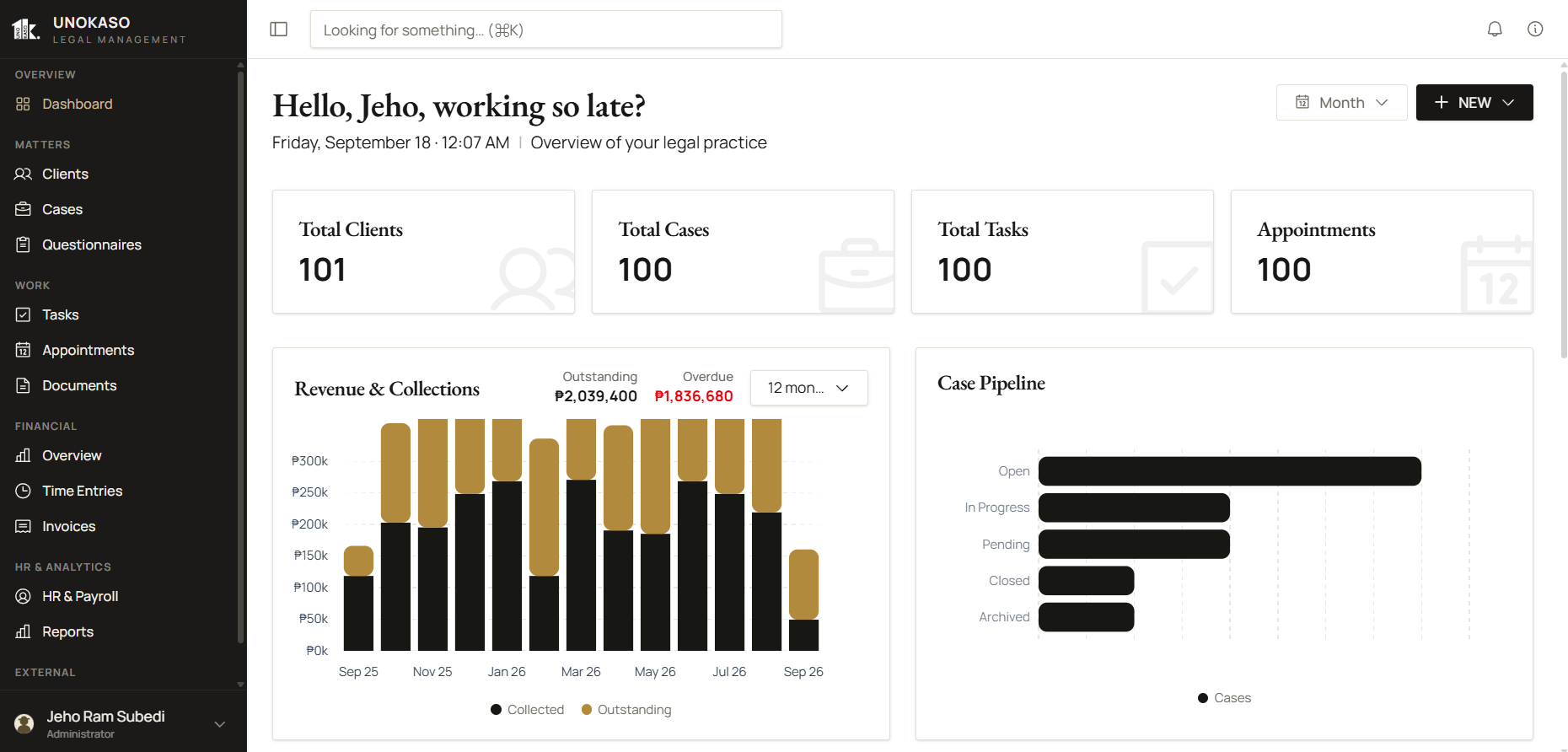
Legal work is complex.
Managing it should not be.
Most firms lose time to fragmentation: spreadsheets, chat threads, calendars, folders, and billing tools that never talk to each other. Unokaso replaces that patchwork with one controlled system — so lawyers practice law instead of administering it.
Everything a firm needs, in one workspace.
Matters, deadlines, documents, security, and team collaboration share one set of records, so the firm stops stitching tools together.
Everything in One Matter
Clients, matters, documents, billing, and appointments live together, so nothing is reconstructed from memory.
Keep Deadlines Visible
Tasks, deadlines, and appointments on one calendar linked to each matter.
Private by Design
Organization-scoped access, role-based permissions, controlled sharing, and an audit history.
Documents, Organized
Reusable template documents and folders keep every draft consistent and on-record.
Built for Legal Teams
Lawyers, staff, and clients work from the same matter, with roles that decide who sees what.
See the platformBuilt for every field of practice.
From courtroom litigation to corporate advisory and family matters · Unokaso adapts to the specific workflows of each legal discipline.
Civil Litigation
Annulments, damages, contracts, property disputes, and other civil cases across all RTC and MTC venues.
LitigationCriminal Law
Estafa, theft, drug cases, BP 22, and other criminal matters with built-in prosecution timelines.
LitigationCorporate & Commercial
Incorporation, M&A, shareholder disputes, governance, and ongoing corporate housekeeping with the SEC.
AdvisoryLabor & Employment
NLRC cases, illegal dismissal, money claims, CBAs, and HR compliance across all industries.
LitigationFamily Law
Annulment, legal separation, custody, support, and adoption proceedings handled with sensitivity.
LitigationReal Estate & Property
Land titling, lease disputes, condominium matters, and property acquisitions from negotiation to transfer.
AdvisoryIntellectual Property
Trademark, patent, copyright registration, and IP enforcement before the Intellectual Property Office of the Philippines.
AdvisoryTax & Administrative
BIR disputes, CTA appeals, customs cases, and regulatory compliance across government agencies and LGUs.
AdvisoryEnvironmental Law
DENR proceedings, mining disputes, environmental compliance, and Writ of Kalikasan petitions before the courts.
LitigationFour areas, one workspace.
Practice Management
Clients, matters, tasks, and appointments in one record.
Client and contact records with the parties and links your matters need.
CoreMatters with status tracking, lawyer assignments, and practice-area configuration.
CoreAssign tasks per matter with due dates, and keep deadlines visible.
CoreSchedule appointments and calendar entries linked to each matter.
CoreCollect structured intake through questionnaire templates and submissions, then convert them into matters.
ProfessionalDocuments
Uploaded documents, external links, and controlled sharing.
Upload documents and attach external links, organized in folders.
CoreOrganize reusable template documents. Template organization only, not automated document generation.
CoreShare documents through access permissions. Sharing does not enable live collaborative editing.
CoreIssue signed download links as an access control. They are not evidence of file encryption.
CoreBilling
Invoices, ledger records, and billable time.
Create client invoices and maintain ledger records.
CoreGrant clients billing access. This does not establish a full client portal.
CoreCapture time, record billable entries, and review an unbilled-time overview.
ProfessionalTeam Administration
Roles, visibility, and employee records.
In-app notifications keep updates inside the workspace.
CoreReview summary reports and a dashboard. Summary only, not custom or advanced analytics.
CoreMaintain your organization profile and logo.
CoreUsers access the actions and records permitted by their assigned role.
CoreAccess checks restrict workspace records to the appropriate organization.
CoreAuthorized users can review recorded activity in the audit log.
CoreManage employee, payroll, leave, shift, and payslip records on Professional with 2+ paid users.
ProfessionalFrom intake
to resolution.
Intake & Case Creation
Create a matter with the essential details · client information, parties, counsel, matter type, and assigned lawyers. Professional adds questionnaire templates and conversion of intake submissions into matters.
Document Filing & Storage
Upload pleadings, motions, orders, and evidence directly to each matter. Documents are organized in folders and shared with the team through access permissions.
Deadline & Appointment Tracking
Schedule and monitor appointments, filing deadlines, and requirements. In-app notifications help your team stay prepared.
Resolution & Archiving
Close cases with decisions, judgments, and settlement documentation captured. Every closed case remains searchable · building institutional memory for your firm.
Control access to your firm's work.
Organization-scoped access, role-based permissions, controlled document sharing, and recorded activity help your firm manage who can access its workspace.
Designed around how Philippine firms work.
Court and venue information, hearing workflows, peso billing, configurable templates, local onboarding, and Data Privacy Act considerations.
Team administration, governed.
Organization profile, role-based permissions, in-app notifications, a summary dashboard, and an audit history — so administrators keep control of who can access what.
Three plans, per user.
Essential and Professional both support multiple users and include the same baseline security controls. Annual billing saves over 20%. Enterprise covers larger teams and special requirements with negotiated pricing.
Common questions.
A user is a lawyer, administrator, paralegal, secretary, or other staff member with internal workspace access. Each user requires a paid seat. Client contacts, external client accounts, and employee records without internal login access do not consume seats.
Yes. Essential and Professional both start at one user and can grow to more. Adding another Essential user does not force an upgrade to Professional.
No. One subscription plan applies to the organization, and all paid seats use the same plan. Upgrading applies the Professional rate to every seat.
Professional adds intake questionnaire templates and submissions, converting intake submissions into matters, time tracking with billable entries and an unbilled-time overview, and HR & Payroll record management when your team has two or more paid users. It also raises pooled uploaded storage to 50 GB per paid user.
HR & Payroll record management is available on Professional with two or more paid users, and access is restricted to authorized roles. A single Professional seat includes intake and time tracking but does not unlock HR. Eligibility depends on paid seat quantity, not pending invitations or external clients.
No. Client contacts and external client accounts do not consume seats, and neither do employee records without internal login access. Only staff with internal workspace access need a paid seat.
Annual billing is collected once per year. The annual payment is ₱41,988 per Essential user and ₱65,988 per Professional user. The monthly equivalent (₱3,499 or ₱5,499) is shown for comparison only, not as a monthly installment option.
Annual billing saves over 20% compared with twelve monthly payments: ₱12,000 per Essential user and ₱18,000 per Professional user each year.
Uploaded storage is pooled across your workspace. Each paid user adds 30 GB on Essential or 50 GB on Professional, so three Essential users share 90 GB and three Professional users share 150 GB. Uploaded files count toward that pooled allowance.
Uploaded files count toward your workspace's pooled allowance. An external document link does not count as the remote file's size unless Unokaso copies or stores that file.
Every plan includes organization-scoped access, role-based permissions, permission-based document sharing, signed document download links, authorized audit-log viewing, and team invitations that use tokens with an expiry. These controls are not a premium-only upgrade.
Enterprise is for larger teams or firms with special requirements. Your agreed user quantity, agreed storage allowance, selected feature package, and onboarding and support scope are documented in the proposal and agreed before purchase. Enterprise pricing is negotiated.
Think Globally, Act Locally.
Unokaso is built for Philippine legal practice today, with an architecture designed to support legal teams in other countries as we responsibly scale.
Give your firm one secure workspace for lawyers.
A 30-minute demo on your firm's workflows. Request a personalized walkthrough today.
Request a Personalized Demo